PARMCO
Phone App RPi Motor Control
An innovative embedded system bridging iOS, Raspberry Pi, and hardware. Control a motor wirelessly with style and precision.
🎧 Project Theme Song
Listen to the official AI generated PARMCO development soundtrack while you scroll! Created with https://lyricsintosong.com/.
System Overview
A complete end-to-end embedded system demonstrating seamless hardware-software integration
Data & Control Flow
User Input
User adjusts speed slider or direction on the iOS app interface
BLE Transmission
App writes data to GATT characteristic via CoreBluetooth
RPi Processing
C program receives, parses, and translates into hardware commands
Motor Control
GPIO signals drive L293D H-bridge to control motor speed and direction
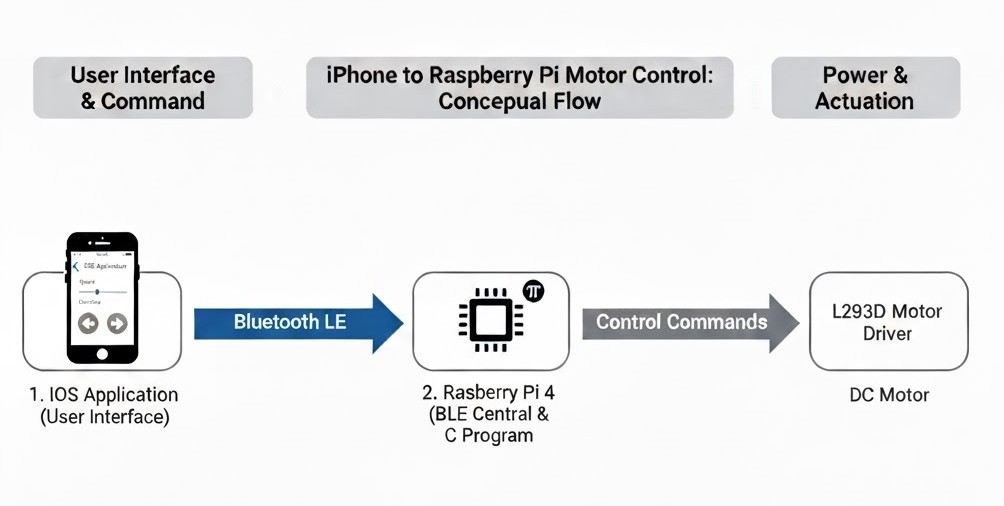
System Architecture Diagram
Three-Tier Architecture
Each component plays a crucial role in the system's operation
iOS Application
The user-facing controller acting as the BLE Central device.
- ✓ SwiftUI interface design
- ✓ CoreBluetooth framework
- ✓ Real-time BLE communication
- ✓ Intuitive speed & direction controls
Raspberry Pi 4
The central hub and BLE Peripheral managing all operations.
- ✓ Raspberry Pi OS
- ✓ C program with BlueZ library
- ✓ GPIO control via pigpio
- ✓ PWM signal generation
Motor & Driver
Physical hardware translating digital signals into motion.
- ✓ L293D H-Bridge driver
- ✓ 12V DC Motor
- ✓ FC-51 IR proximity sensor
- ✓ Bidirectional speed control
Project Demonstrations
From hardware assembly to full wireless control
System Setup
A walkthrough of the hardware and bluetooth setup process, demonstrating how to power the circuit and setup a bluetooth connection.
iOS App & Motor Control
The complete integrated experience showing real-time Bluetooth latency. This demo covers the different modes of the iOS application (manual, automatic, and game mode) and how they each control the motor system.
📱 iOS App Screenshots
A visual tour of the custom-designed iOS application, featuring the BLE connection, control modes, and the integrated game.
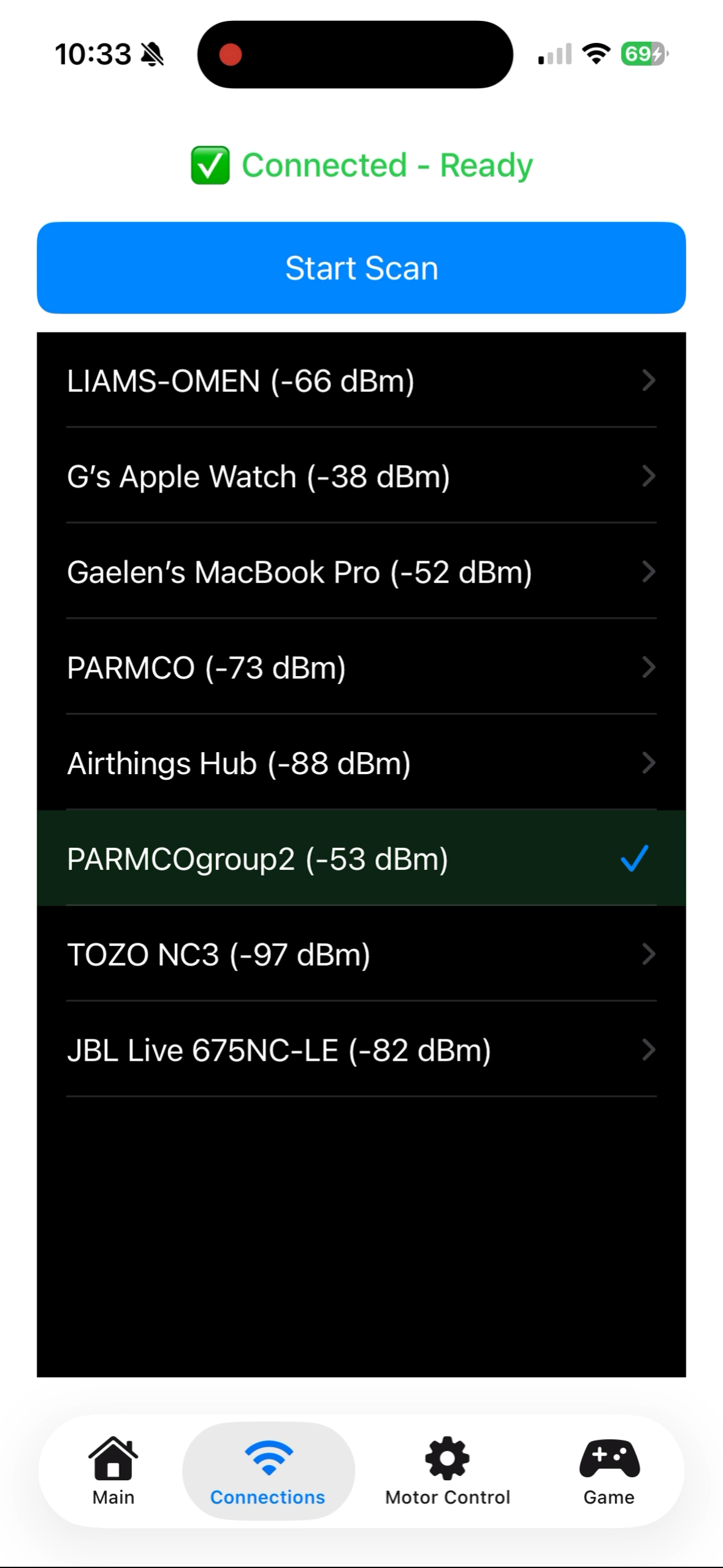
BLE Connection
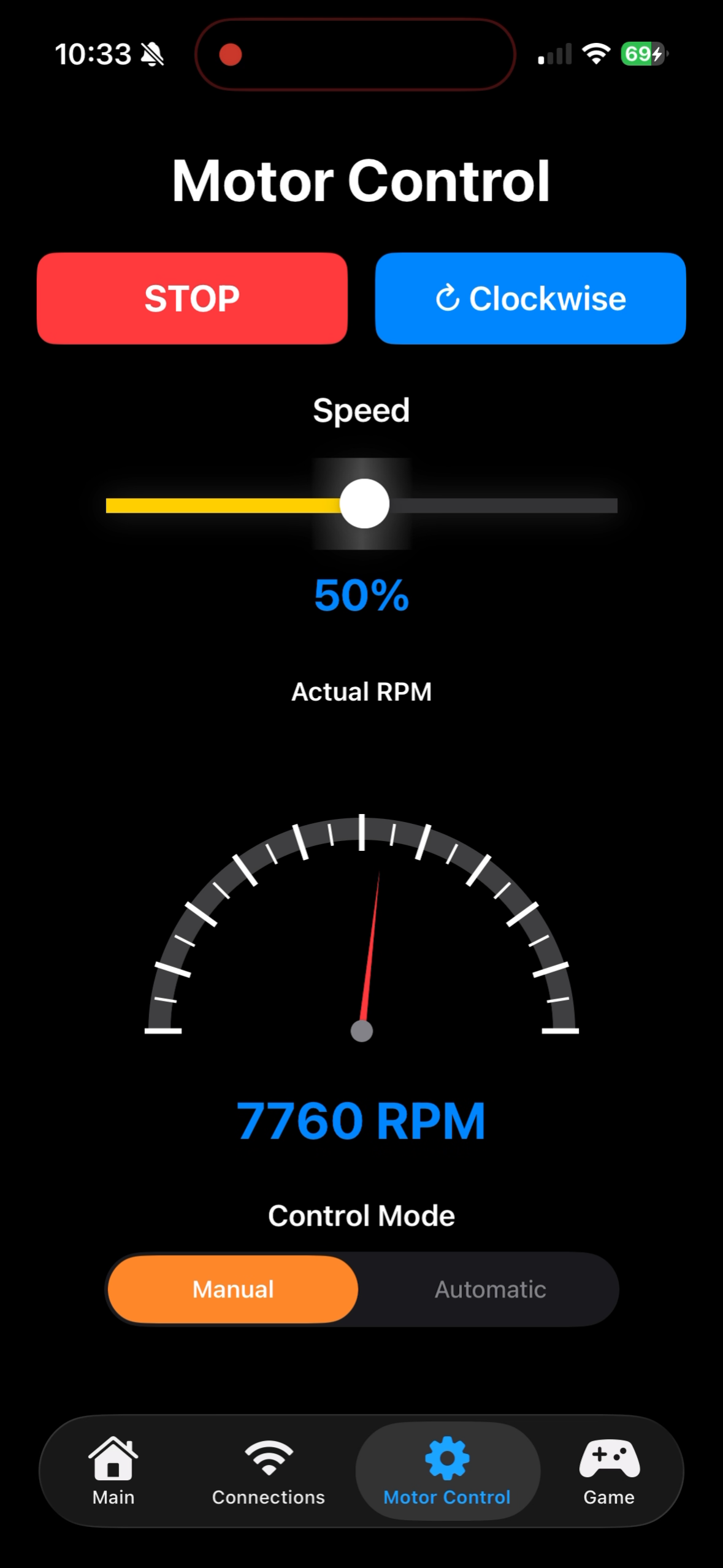
Manual Mode
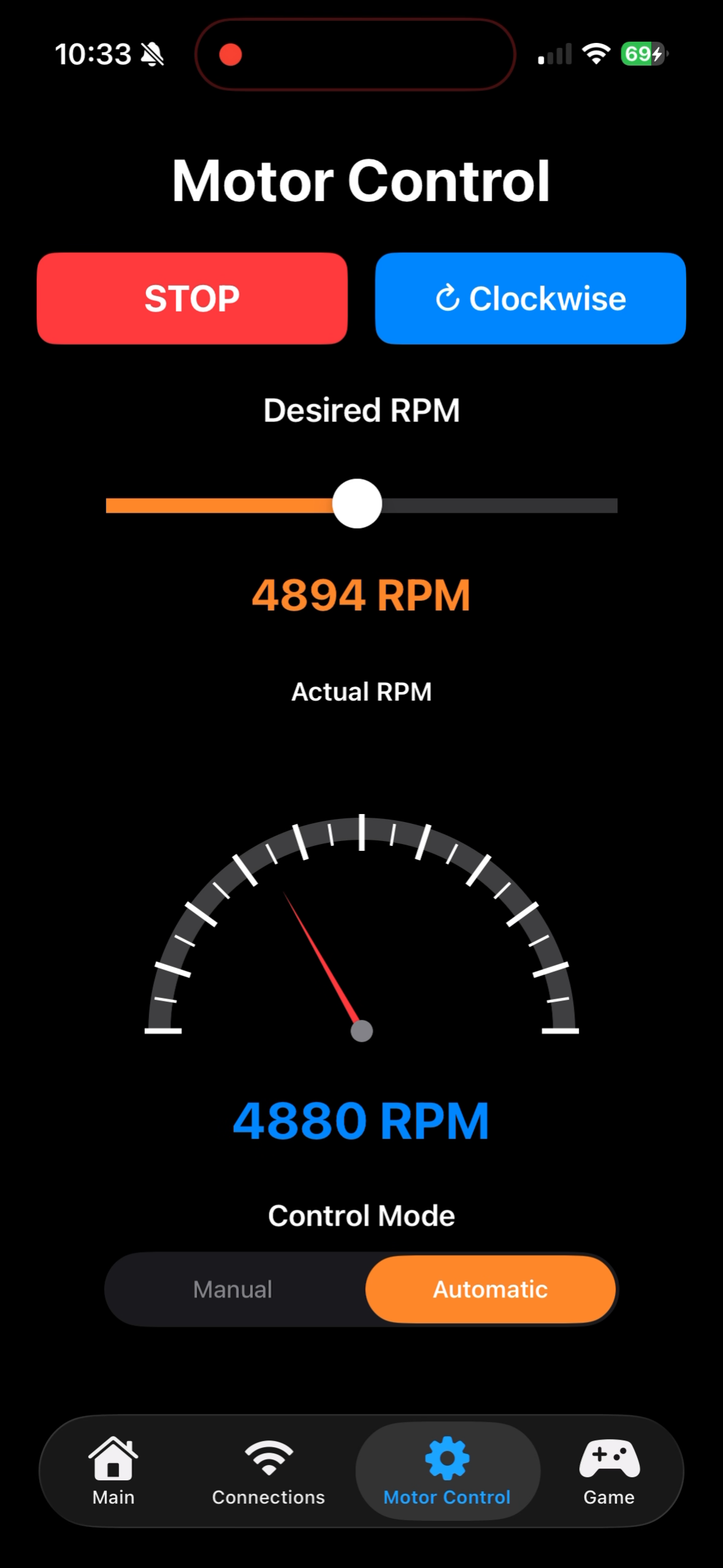
Automatic Mode
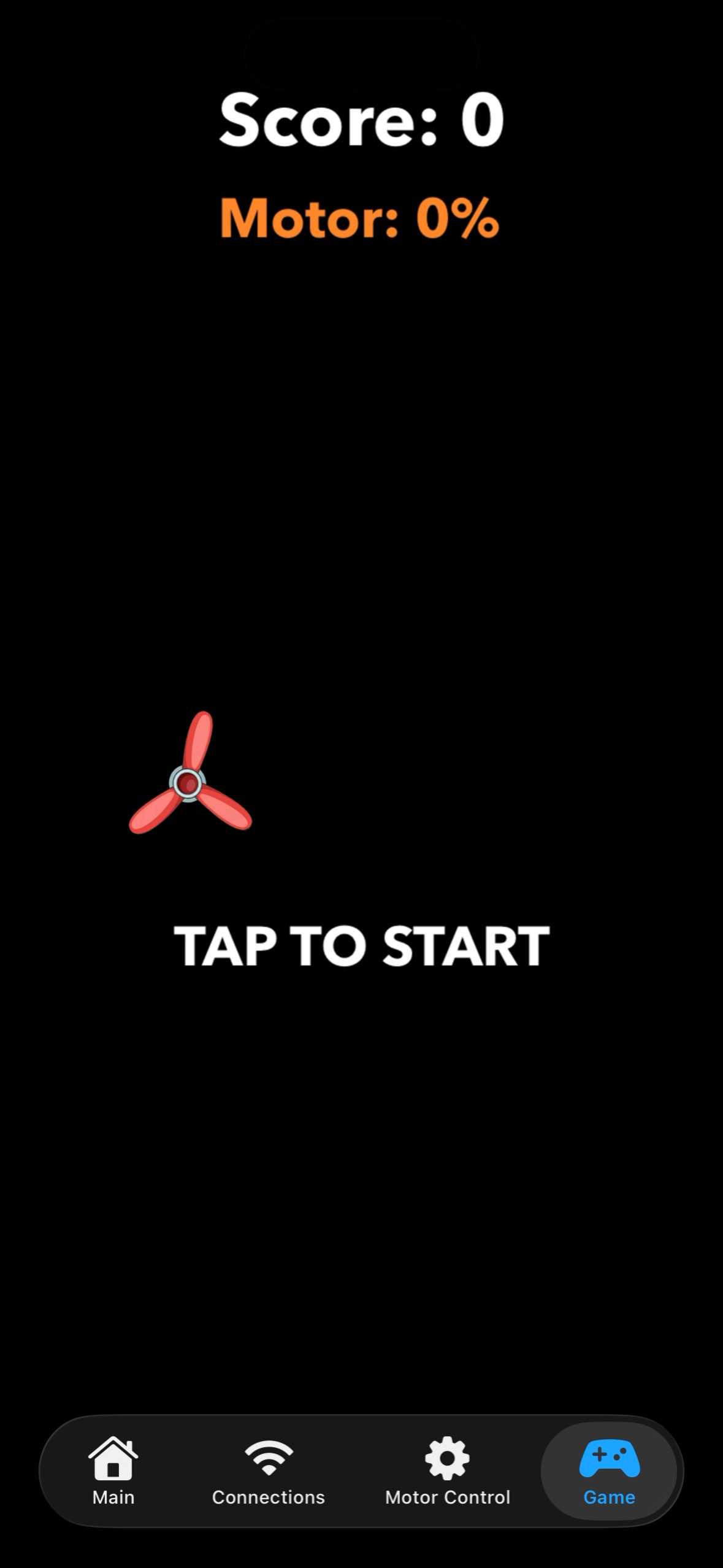
Game Start
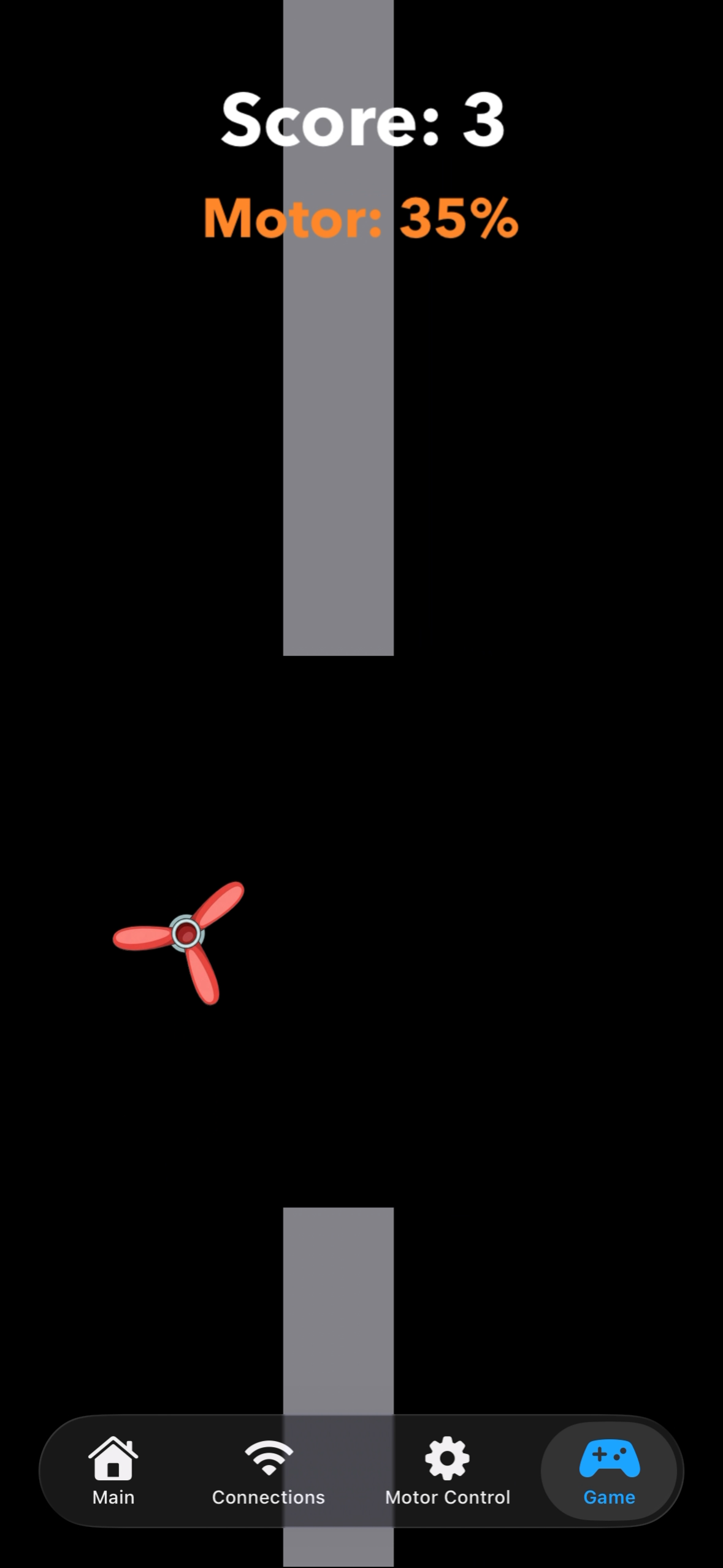
Game In Progress
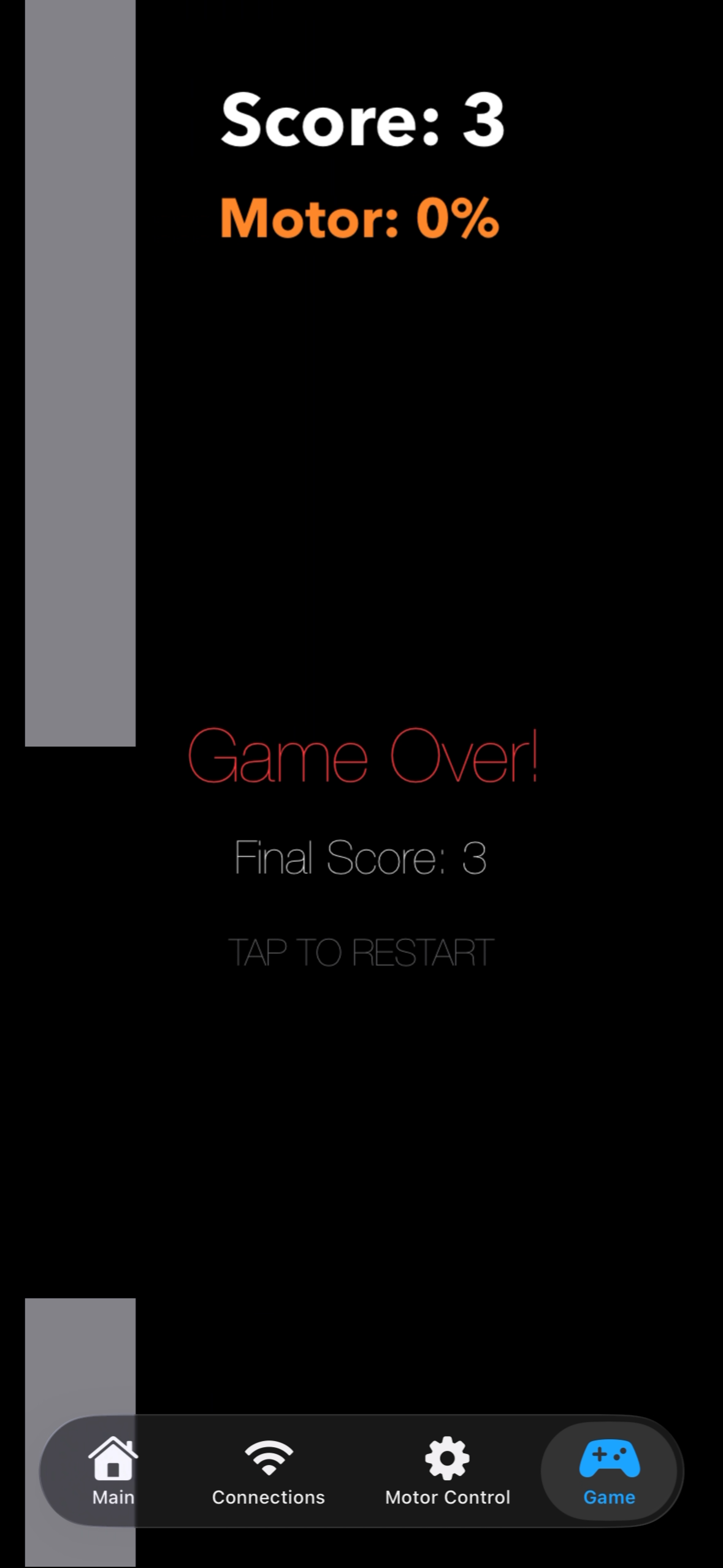
Game Over
The iOS application provides three distinct control modes: Manual, Automatic, and Game Mode.
Circuit Design & Setup
Detailed circuit schematic, pinout configuration, and power requirements
🔌 Circuit Operation
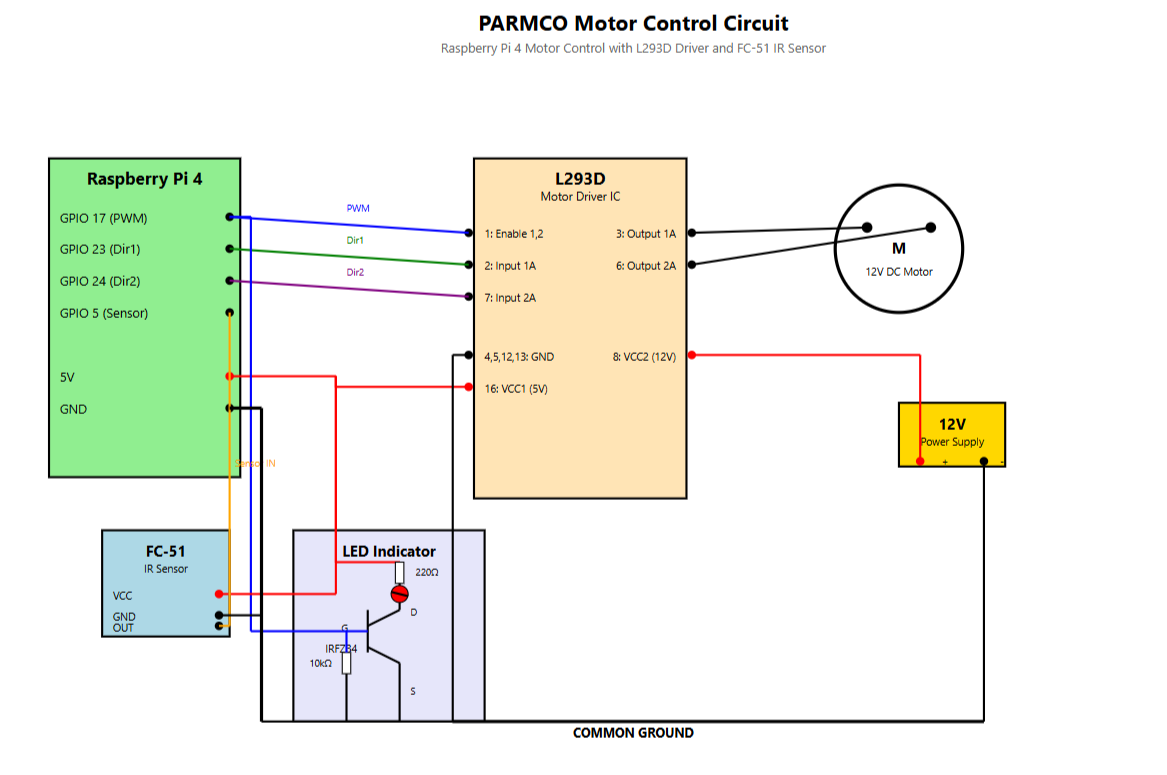
The circuit utilizes an L293D dual H-Bridge motor driver to control a 12V DC motor, enabling the Raspberry Pi to manage both speed via PWM and direction via logic signals.
An FC-51 IR proximity sensor tracks RPM data from the motor, with its digital output fed to an RPi GPIO input for real-time monitoring.
An IRFZ34 N-Channel MOSFET acts as a low-side switch for an LED indicator, providing visual feedback when the motor is active.
⚡ Power & Safety
- ✓ Motor powered by external 12V DC supply
- ✓ L293D logic and IR sensor powered by RPi 5V pin
- ✓ Common ground between RPi and motor circuit
- ✓ Internal flyback diodes and thermal shutdown protection
- ⚠️ FC-51 IR sensor must use 5V, not 12V to prevent damage
🧰 Circuit Components Checklist
Required Components
- • Raspberry Pi 4 (or similar compatible model)
- • L293D Motor Driver IC
- • 12V DC Motor
- • FC-51 IR Sensor (for RPM measurement)
- • LED Indicator (e.g., 5mm red LED)
- • IRFZ34 N-Channel MOSFET (or NPN Transistor)
- • 12V Power Supply (DC)
- • 220Ω Resistor (for LED current limiting)
- • 10kΩ Resistor (for MOSFET/transistor base)
- • Assorted Jumper Wires
Optional but Recommended Tools
- • Breadboard (essential for prototyping and testing)
- • Multimeter (crucial for testing power, ground, and pin voltages)
- • Soldering Iron and Solder (for more permanent connections)
- • Wire Strippers
Circuit Schematic
Raspberry Pi Pin Assignments (BCM)
| Pin (BCM) | Function | Description |
|---|---|---|
| GPIO 17 | PWM Output | Speed control to L293D Enable pin |
| GPIO 23 | Direction 1 | Motor direction to L293D Input 1A |
| GPIO 24 | Direction 2 | Motor direction to L293D Input 2A |
| GPIO 5 | IR Sensor Input | Reads digital output from FC-51 |
| 5V | Logic Power | Supplies 5V to L293D & sensor |
| GND | Ground | Common ground for all components |
AI-Powered Development
Leveraging cutting-edge AI tools to accelerate development and enhance code quality
Claude AI
Code generation, debugging assistance, and architecture design consultation
ChatGPT
Algorithm optimization, troubleshooting, and API documentation interpretation
Cursor AI
Real-time code suggestions and autocomplete for Swift and C development
Gemini Pro
UI/UX design concepts, icon generation, and visual asset creation
📝 AI Interaction Log
Explore our complete development journey with AI tools. This comprehensive log documents every AI interaction, prompt, and solution throughout the project lifecycle.
- ✦ 500+ AI-assisted code generations
- ✦ Debugging sessions and solutions
- ✦ Architecture decisions and rationale
- ✦ Learning moments and breakthroughs
Full transparency in AI usage
Code Libraries & Frameworks
A detailed breakdown of every library, including trade-offs and selection rationale.
🖥️ Raspberry Pi C Libraries
GLib / GIO
D-Bus / Event LoopThe core library enabling asynchronous D-Bus communication with the BlueZ Bluetooth stack.
Rationale: Chosen over PyBluez or Bleak because it is the only reliable way to implement a **GATT Server** (peripheral role) on Linux using the native, well-maintained BlueZ stack.
BlueZ
Bluetooth StackThe official Linux Bluetooth protocol stack, accessed via the high-level D-Bus interfaces.
Code Usage: The C program uses interfaces like GattManager1 to register the **Nordic UART Service (NUS)** and handle iPhone WriteValue commands.
pigpio
Hardware PWMHigh-performance C library providing direct hardware GPIO access and true hardware PWM control.
Rationale: Chosen because it is the **only actively maintained** option that provides **hardware PWM**, which is essential for smooth motor control without audible whining.
pthread
ConcurrencyThe standard POSIX threading library used for managing concurrent execution of tasks.
Code Usage: Used to run the **RPM monitoring in a separate thread** to maintain microsecond-level precision while the main loop handles command processing and I/O.
Named Pipes (FIFO)
Inter-Process Comm.A low-latency, text-based POSIX mechanism for inter-process communication (IPC).
Rationale: Chosen as the simplest, most debuggable IPC method, beating complex alternatives like sockets or shared memory for low-frequency command passing.
math.h
MathematicsStandard C math library providing mathematical functions for control algorithms.
Code Usage: Essential for implementing the **PID controller**, which uses functions like fabs() for calculating the absolute value of the RPM error.
📱 iOS Application Frameworks
CoreBluetooth
BLE FrameworkApple's native framework for implementing the BLE Central role (scanning, connecting, GATT).
Rationale: This is the **only viable option** for performing BLE communication on the iOS platform.
UIKit
UI FrameworkThe mature and performant framework providing the app's main view controllers and UI components.
Rationale: Chosen over SwiftUI for better **stability and reliability** when integrating complex BLE callbacks and ensuring compatibility with older iOS versions.
SpriteKit
2D Game EngineApple's native 2D game framework used to implement the Flappy Bird-style control game.
Rationale: Provides a native, performant **physics engine** for collision detection, which is superior to implementing custom animation in UIKit.
Foundation
Core UtilitiesThe fundamental framework providing essential data types, collections, and threading utilities.
Code Usage: Necessary for handling Data types for BLE communication and managing threading via DispatchQueue.
Complete Technology Stack
Meet the Team
Engineering students bridging the gap between software and hardware


🎧 Project Theme Song
Listen to the official PARMCO development soundtrack.